
Newsletter Subscribe
Enter your email address below and subscribe to our newsletter

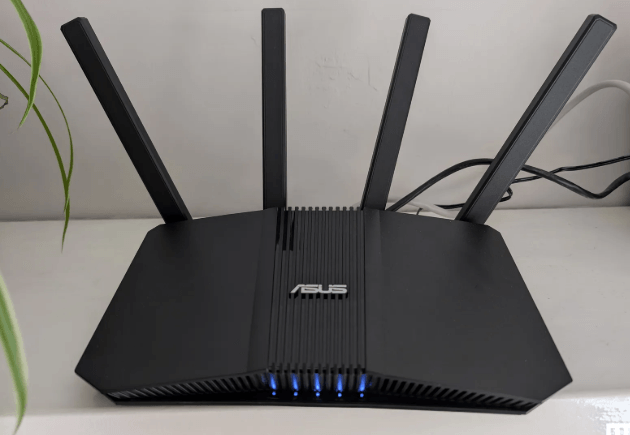
A fast and stable Wi-Fi connection is essential for streaming, online gaming, video conferencing, remote work, and browsing the web. However, slow Wi-Fi speeds can result from poor router placement, interference, outdated equipment, network congestion, or incorrect settings. Fortunately, many Wi-Fi performance issues can be resolved with a few simple changes.
This guide explains how to improve Wi-Fi speed, optimize your wireless network, and enjoy a faster and more reliable internet connection at home or in the office.
Several factors can reduce Wi-Fi performance, including:
Understanding the cause helps you choose the most effective solution.
Place your router near the center of your home or office so the signal reaches more areas evenly.
Position the router on a shelf or table instead of the floor to improve signal coverage.
Keep the router away from:
These objects can weaken wireless signals.
Many household devices use similar radio frequencies.
Common sources of interference include:
Keeping your router away from these devices can improve signal quality.
Modern routers typically support two wireless frequency bands.
Advantages:
Disadvantages:
Advantages:
Disadvantages:
Choose the band that best fits your distance from the router and performance needs.
Older routers may not support current Wi-Fi technologies.
A newer router can provide:
Router manufacturers release firmware updates that improve:
Check periodically for updates and install them according to the manufacturer’s instructions.
An unsecured network allows unauthorized users to consume bandwidth.
Protect your network by:
A secure network helps maintain both speed and privacy.
Every connected device shares your available bandwidth.
Disconnect devices that are:
This can improve performance for active users.
Restarting your router can:
Occasional restarts are often helpful if your connection becomes slow or unreliable.
For activities requiring maximum speed and low latency, such as online gaming or large file transfers, an Ethernet connection generally provides a more stable and faster experience than Wi-Fi.
Sometimes the Wi-Fi network is not the bottleneck.
If multiple users stream, game, or work simultaneously, a faster internet plan may provide better overall performance.
Large homes may have weak signal areas.
A mesh Wi-Fi system extends wireless coverage by using multiple coordinated devices to provide a more consistent connection throughout the property.
In crowded neighborhoods, nearby Wi-Fi networks may operate on the same channel.
Selecting a less congested channel can reduce interference and improve performance.
Some routers can automatically choose the best available channel.
Update:
Software and driver updates often improve wireless compatibility and performance.
Large downloads and automatic updates can consume significant bandwidth.
Examples include:
Scheduling these activities during off-peak hours can improve network responsiveness.
If your router is several years old, newer hardware may offer:
Upgrading aging equipment can make a noticeable difference.
Keep it elevated, centrally located, and away from interference.
Use strong passwords and modern wireless encryption.
Install firmware and device updates regularly.
Disconnect inactive devices and manage bandwidth-heavy activities.
Modern routers and mesh systems often deliver better speed and coverage than older models.
Occasionally test your connection to determine whether performance issues are related to your Wi-Fi network or your internet service.
Files, applications, and updates complete more quickly.
High-definition and 4K video playback becomes smoother with fewer interruptions.
Lower latency and more stable connections enhance the gaming experience.
Better network performance improves voice and video quality during online meetings.
Connected devices communicate more reliably on a strong wireless network.
The issue may be caused by weak signal strength, wireless interference, outdated hardware, poor router placement, or too many connected devices rather than your internet service itself.
Yes. Placing the router in a central, elevated location away from obstacles and interference can significantly improve signal strength and coverage.
In most cases, yes. The 5 GHz band generally provides higher speeds and experiences less interference, although it has a shorter range than 2.4 GHz.
Consider upgrading if your router is several years old, does not support modern Wi-Fi standards, struggles with many connected devices, or no longer provides adequate coverage.
Yes. Multiple devices sharing the same wireless network can reduce available bandwidth and affect overall performance, especially during bandwidth-intensive activities.
Improving Wi-Fi speed involves optimizing both your wireless network and your internet connection. Proper router placement, reducing interference, updating firmware, securing your network, limiting unnecessary devices, and upgrading outdated equipment can significantly improve speed and reliability. By following these best practices and maintaining your network regularly, you can enjoy smoother streaming, faster downloads, more responsive online gaming, and a better overall internet experience.

